

Author: Philip Godfrey
One of many AI Services introduced by Oracle, OCI Vision serves as an advanced AI tool aimed at facilitating extensive image analysis powered by deep learning algorithms.
It streamlines the process of integrating image and text recognition features into applications, eliminating the need for specialised knowledge in machine learning.
Pre-Requisites
To access Vision, there are several steps that need to be taken by an Administrator within your tenancy, including necessary groups, policies and dynamic groups. A full list of requirements can be found here -> About Vision Policies
Accessing Oracle Vision
In OCI, navigate to Analytics & AI, and under the AI Services subheading, you will find Vision.
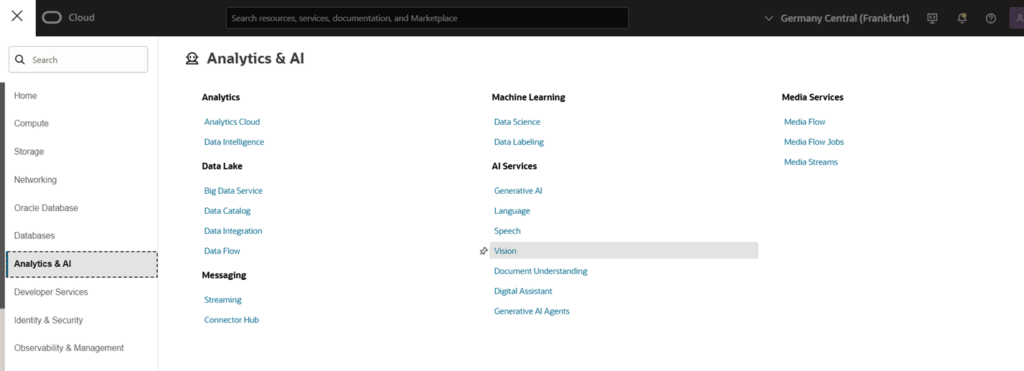
Once you click here, providing the necessary pre-requisites have been granted, you should see the overview of Oracle Vision.
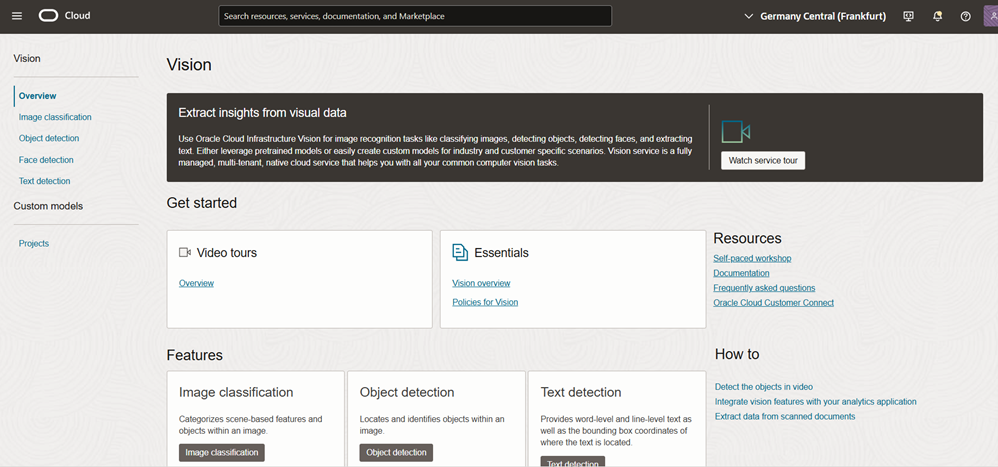
This has lots of useful resources for you to utilize, including video tutorials introducing the service in simple and easy to consume terms, through to more detailed and in-depth release notes and documentation.
On the left-hand side, you have access to multiple areas:
- Overview – the page above
- Image Classification – utilize pre-built models to assign classes and confidence scores
- Object Detection – utilize pre-built models to identify common objects and confidence scores
- Face Detection – utilize pre-built models to identify faces from an image
- Text Detection – utilize pre-built models to identify text in documents
- Projects – where we can create a custom models (Image classification and object detection) trained on your own labelled dataset.
Pre-Trained Models
Object Detection
As an example, we can pass in an image from a previous blog series (car parks / spaces) to see how the pre-trained model performs in identifying cars.
If we select Object Detection we can then navigate to a Local File and pass in a png/jpeg file, the pre-trained model is then invoked and objects identified are returned. It has successfully (and confidently) identified all cars in the image with a good level of confidence!
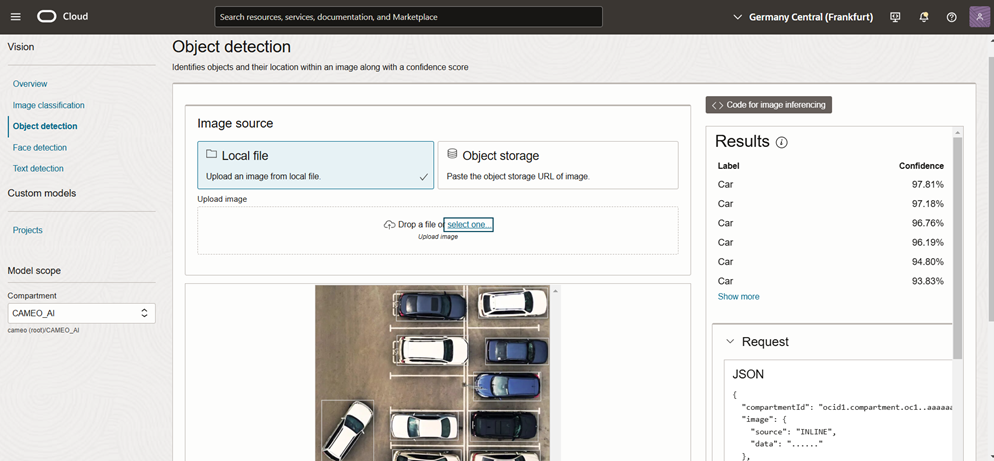
Image Classification
As a further image, we can also call the pre-trained Image Classification model, if we provide another example image, we can see what it has identified:
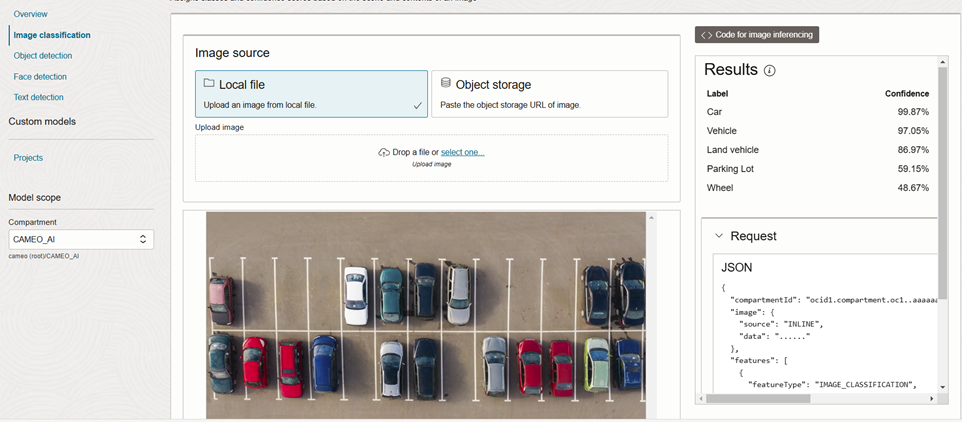
Exploring the results we can see that Cars have been identified with the greatest confidence (which you would expect) however it has also identified there are Vehicles, Land vehicle, and it has also identified there is a parking lot in the picture! So, we can get lots of useful information from the pre-trained models.
Join our next blog in the series where we cover Custom Models in detail, and how we can create Vision models based on our own data.
Custom Models
There are several pretrained models available for Image Classification, Object Detection and Text Recognition.
Custom Models are available in the form of Image Classification and Object Detection.
Pretrained Models:
- Image Classification
- Object Detection
- Text Recognition
Custom Models:
- Image Classification
- Object Detection
The next blog in the series will explore creating a Custom model in Oracle Vision and show you how easy it is to get up and running.
Contact us today to arrange an assessment or email:

Philip Godfrey
Principal AI & Data Analytics Consultant